Product Photos With Your Phone: 9 Tips That Make Customers Buy
You don't need a camera or a studio. With daylight, a plain background and a few habits, your phone can take photos that sell.
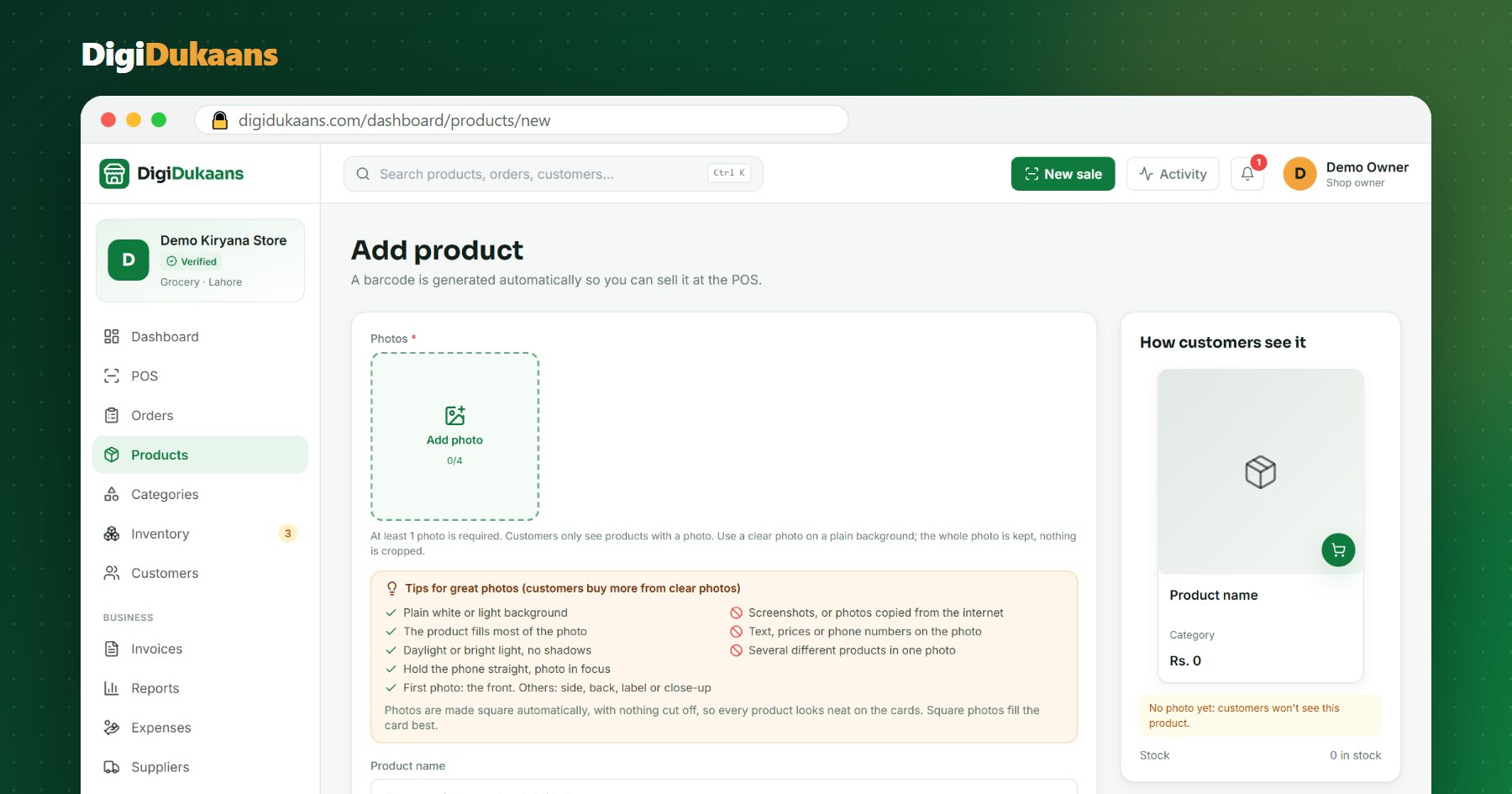
Online, the photo is the product. A customer can't pick it up, so a blurry or dark photo looks like a doubtful product. The good news: a normal phone is enough.
1. Use daylight, not the tube light
Stand near a window or the shop door during the day. Daylight shows true colours. Tube lights make photos yellow or blue, and the flash makes shiny packets glare.
2. Use a plain background
A white sheet, a light wall, or a sheet of white chart paper from a stationery shop works perfectly. Remove other products, price tags and clutter from behind.
3. Fill the frame
The product should take up most of the photo. Move closer instead of zooming: zoom makes photos grainy.
4. Hold the phone straight
Shoot from the front, at the product's height, not from above at an angle. Lean your elbows on the counter to keep the phone still.
5. Tap to focus
Tap the product on the screen before you take the photo. Check the label is sharp before you move on.
Your shop online, free.
Products, online orders and delivery, set up in minutes.
6. Take more than one angle
The first photo is the front. Add one of the label (size, ingredients, expiry), the back, or a close-up of the fabric or stitching. For clothes and shoes, a photo of each colour helps customers choose.
7. No text, prices or phone numbers on the photo
Prices change; the photo stays. Keep prices in the price field, not written on the image.
8. Never use screenshots or internet photos
Customers can tell, and they trust real photos of your real stock more. Internet photos can also belong to someone else.
9. Keep the same style for every product
Same background, same light, same distance. Your shop page then looks neat and professional, like a proper store.
Quick checklist
| Check | Good | Avoid |
|---|---|---|
| Light | Daylight near a window | Flash, tube light at night |
| Background | Plain white or light | Shelves full of other items |
| Distance | Product fills the photo | Tiny product, lots of empty space |
| Text | None on the photo | Prices or numbers written on it |
On DigiDukaans, photos are made square automatically with nothing cut off, so the whole product shows on every card. Ready to try? Add your products or see how a finished shop looks in the live demo.
Frequently asked questions
Do I need an expensive phone for product photos? +
No. Any recent smartphone takes good product photos in daylight. Light and background matter more than the phone.
How many photos should each product have? +
At least one clear front photo. Two to four is better: front, label or back, and a close-up.
Can I use photos from the company's website? +
It's better not to. Real photos of your own stock build trust, and company photos may not be yours to use.
DigiDukaans Team · Helping local shops sell online
We build DigiDukaans, the online shop, POS and accounts app for local shops, restaurants, tailors and home businesses in Pakistan.
Keep reading
All posts
Stock Management for Small Shops in Pakistan
Simple stock management for small shops in Pakistan: product list, re-order levels, weekly counts, season planning and syncing online orders. Free guide.

Tailor Shop Management in Pakistan: A Simple 2026 Guide
Lost measurement slips, missed Eid deadlines, advance disputes? Here’s a simple system for tailors and boutiques in Pakistan to manage naap, orders and payments.

10 Home Business Ideas for Women in Pakistan (2026)
Start a business from home with zero investment: home kitchen, frozen food, tailoring, baking and more. Step-by-step ideas for women in Pakistan.